
🛠 WordPress 的核心是否应该内置 GraphQL API?

2024年05月01日更新:请查看 Gato GraphQL vs WP REST API 的对比。
WordPress 5.7 即将发布。和以往许多版本一样,WP REST API 也将新增多项功能。
在这些新功能中,有一项引起了我的注意:「Image Editor Accepts a List of Modifiers」。
WordPress 5.5 中引入的
/wp/v2/media/<id>/edit端点,最初只提供了一个有限的 API,仅支持顶层的旋转和裁剪声明。在 50124 中,通过新的modifiers请求参数接受修改操作数组,使该 API 变得更加强大和灵活。
import apiFetch from '@wordpress/api-fetch';
const data = {
modifiers: [
{
type: 'crop',
args: {
left : 0,
top : 0,
width : 80,
height: 80
}
},
{
type: 'rotate',
args: {
angle: 90
}
}
]
};
apiFetch( { data, method: 'POST', path: '/wp/v2/media/5/edit' } );这一功能的开发经历了相当长的时间。
首先,WordPress 5.5 引入了图像编辑端点。
该端点最初相当僵化,需要将所有图像操作的数据一次性传入。例如,若要旋转图像并修改其尺寸,需要传入如下数据:
{
"x": 0,
"y": 0,
"width": 80,
"height": 80,
"rotate": 90
}随后,WordPress 5.6 在 WP REST API 中引入了批量操作。
最后,在即将发布的 WordPress 5.7 中,对图像的操作被解耦,分为 "crop" 和 "rotate" 两个独立操作。这些操作既可以单独执行,也可以通过批处理在同一请求中一起执行。
如前所述,向端点传递数据的方式现在优雅多了:
{
"modifiers": [
{
"type": "crop",
"args": {
"left" : 0,
"top" : 0,
"width" : 80,
"height": 80
}
},
{
"type": "rotate",
"args": {
"angle": 90
}
}
]
}是在重新发明轮子吗?
WP REST API 并非 WordPress 的唯一 API。目前(至少)有两种替代方案:
- GraphQL,通过 WPGraphQL
- GraphQL + persisted queries,通过 Gato GraphQL
(☝🏽 这就是我,本文的作者 ☝🏽)
GraphQL 是一种新兴的 API 类型,在批量操作方面表现出色。使用 GraphQL 就无需像 REST 那样花费时间和精力去开发自定义解决方案。
事实上,REST 可以说是从 GraphQL "借鉴"了这一特性。
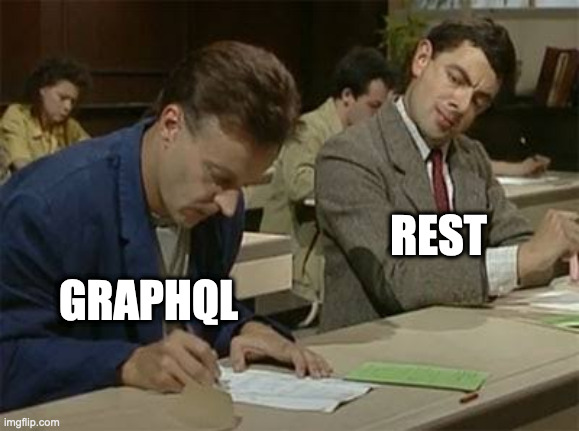
在 WP REST API 中支持批量操作至少耗费了 2 个、可能多达 3 个发布周期。这绝非小数目,并且需要多位贡献者的共同努力。
如果 WordPress 也能利用 GraphQL,且图像编辑端点是基于 GraphQL 而非 REST 构建的,那么这些贡献者便可将精力投入到其他开发工作中。
如果 WordPress 能够根据需要灵活使用各种 API 的最佳特性,难道不会变得更好、发展得更快吗?
GraphQL 中的批量操作
我将介绍 Gato GraphQL 支持批量操作的多种方式,不止一种。
最简单的方式是在 query 的根节点添加多个字段。例如,以下 query 先登录用户,然后添加一条评论:
mutation LogUserInAndAddCommentToPost {
loginUser(
by: { credentials: { usernameOrEmail: "test", password: "pass" } }
) {
id
name
}
addCommentToCustomPost(
input: {
customPostID: 1459
commentAs: { html: "Adding a comment: bla bla bla" }
}
) {
id
content
date
}
}(顺便提一下,这是 GraphiQL 客户端。这里有一个教程介绍如何使用它。)
这两个操作分别作用于不同的对象,但如果我们想对同一个对象执行多个操作呢?
接下来看这个例子:以下 query 向同一篇文章添加两条评论。
mutation AddTwoCommentsToPost {
firstComment: addCommentToCustomPost(
input: {
customPostID: 1459
commentAs: { html: "This is my first response" }
}
) {
id
content
date
}
secondComment: addCommentToCustomPost(
input: {
customPostID: 1459
commentAs: { html: "This is my second response" }
}
) {
id
content
date
}
}这两条评论是添加到已有文章的。但如果文章本身也需要先创建,该怎么办?
在这种情况下,简单的 query 就行不通了,因为我们不知道待创建文章的 ID,而其他操作需要将其作为参数传入(注意字段参数中的 ?):
mutation CreatePostAndAddTwoCommentsToPost {
createPost(input: { title: "Some post" }) {
id # <= I don't know what this value will be
}
addCommentToCustomPost(input: {
customPostID: ?,
commentAs: { html: "Blah blah blah" }
}) {
id
content
date
}
}别担心,Gato GraphQL 为你提供了支持,而且不止一种解决方案!

第一种方法是使用多查询执行功能。
在这个 query 中,我们先执行第一个操作,通过指令 @export 导出其结果,然后将该值作为输入注入到第二个 query 中:
mutation AddComment {
addCommentToCustomPost(
customPostID: 1459
commentAs: { html: "Some insightful comment" }
) {
id @export(as: "newCommentID")
content
date
}
}
mutation AddResponseToComment @depends(on: "AddComment") {
replyComment(
parentCommentID: $newCommentID
commentAs: { html: "Debunking your insightful comment" }
) {
id
date
content
parent {
id
}
}
}更为优雅的方式是使用嵌套 mutation。
在这个 query 中,我们执行第一个操作,并在其内部嵌套第二个操作,使其作用于第一个操作创建的对象(还可以继续嵌套第三个操作,以此类推):
mutation AddCommentAndResponseAndResponse {
addCommentToCustomPost(
input: {
customPostID: 1459
commentAs: { html: "Some insightful comment" }
}
) {
id
content
date
reply(input: { commentAs: { html: "Debunking your insightful comment" } }) {
id
date
content
parent {
id
}
reply(input: { commentAs: { html: "No, it was right!" } }) {
id
date
content
parent {
id
}
}
}
}
}此外,批量操作不仅可以作用于单个实体,还可以在同一请求中同时作用于多个实体。
在以下 query 中,新评论及其所有回复被添加到多篇文章:
mutation AddCommentAndResponseToManyPosts {
posts(ids: [1657, 1153, 1499, 1459]) {
id
addComment(input: { commentAs: { html: "Some insightful comment" } }) {
id
content
date
reply(
input: { commentAs: { html: "Debunking your insightful comment" } }
) {
id
date
content
parent {
id
}
}
}
}
}这个插件还有最后一个隐藏技巧:利用可嵌入字段功能,我们可以使用对象自身的数据来定制传入各字段参数的内容!
在以下 query 中,评论包含了被操作对象自身的信息:
mutation AddCustomCommentAndResponseToManyPosts {
posts(ids: [1657, 1153, 1499, 1459]) {
id
addComment(
input: {
commentAs: { html: "The post has ID {{ id }} and title {{ title }}" }
}
) {
id
content
date
reply(
input: {
commentAs: {
html: "The parent comment was posted on {{ dateStr(format: \"d/m/Y\") }}. Cool, right?"
}
}
) {
id
date
content
parent {
id
}
}
}
}
}按需取用 REST 与 GraphQL 各自的优势
随着 Full Site Editing 的开发与扩展,WordPress 将越来越依赖其 API。
就现有功能而言,REST API 迄今表现出色。没有必要对运转良好的部分进行重建。
然而,对于即将开发的新功能,如果 WordPress 能够根据具体需求灵活选择 REST 或 GraphQL,岂不是更好?
答案由你来决定……