


🙌 Gato GraphQL 现已完全支持 Advanced Custom Fields (ACF)!

上周发布的 Gato GraphQL v11.3 版本提供了**元数据变更(meta mutations)**功能。
结合元字段,并配合 PRO 扩展所提供的功能,元数据变更让我们能够与 Advanced Custom Fields (ACF) 插件进行完整交互,既可以获取自定义字段,也可以修改自定义字段。
这意味着 Gato GraphQL 现已完全支持 ACF! 🎉🥳👏🍾🙌🎊🍻
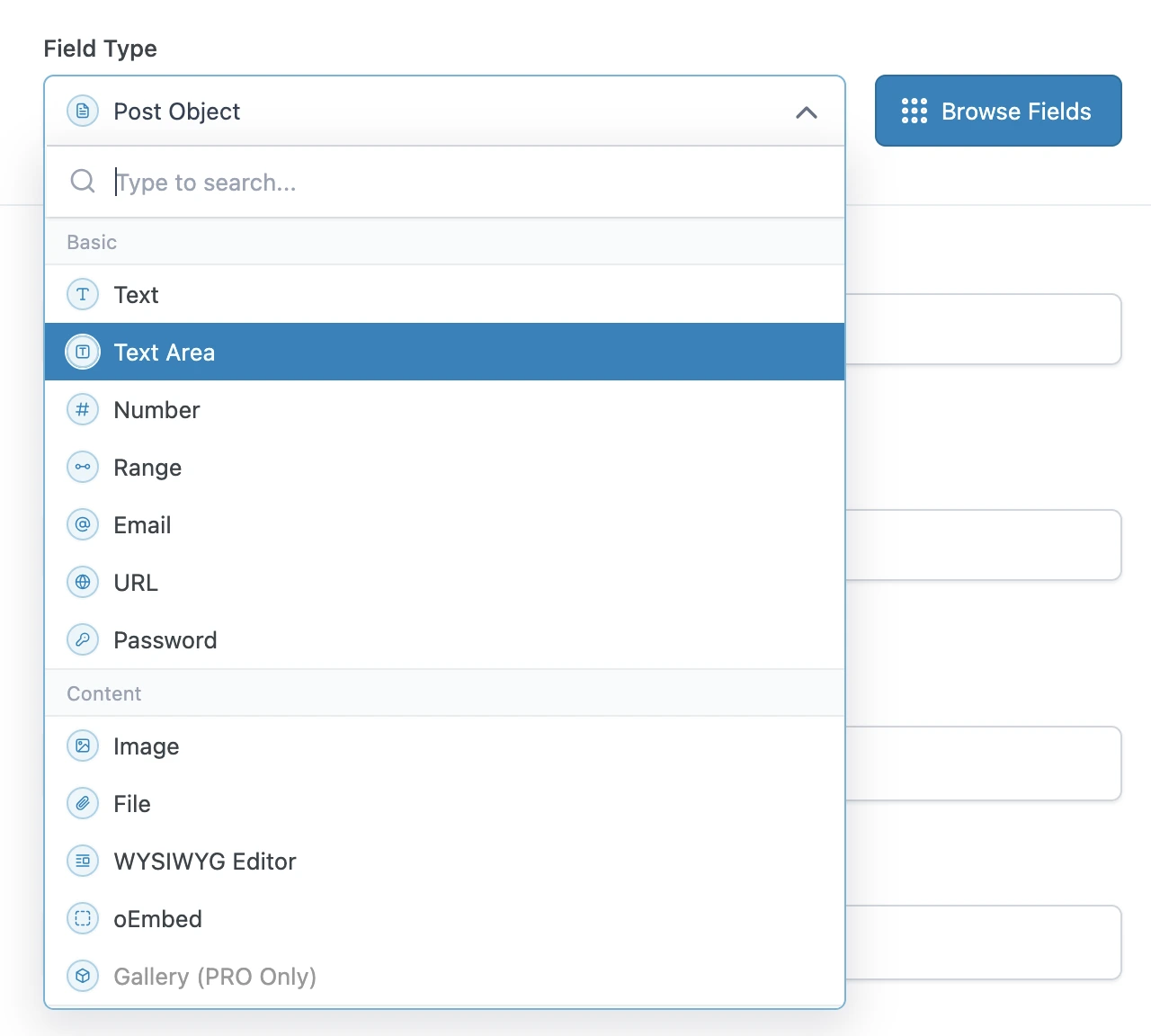
以下是几个演示如何获取和修改自定义字段的 Query,涵盖 ACF 支持的所有字段类型:
查询基本字段类型
ACF 的基本字段类型可以直接使用 metaValue 字段进行查询:
query GetPost {
post(by: { id: 1 }) {
text: metaValue(key: "text_field")
textarea: metaValue(key: "textarea_field")
number: metaValue(key: "number_field")
range: metaValue(key: "range_field")
email: metaValue(key: "email_field")
url: metaValue(key: "url_field")
password: metaValue(key: "password_field")
}
}查询内容字段类型
如果自定义字段是关系型字段(例如:图片或文件),我们可以从元字段中导出 ID,然后在后续 Query 中立即查询这些实体(Media 类型)。
否则,它就是简单字段类型,可以直接使用 metaValue 进行查询:
query GetPostDataAndExportRelationships {
post(by: { id: 1 }) {
# Image field type
imageId: metaValue(key: "image_field")
@export(as: "imageId")
# File field type
fileId: metaValue(key: "file_field")
@export(as: "fileId")
# WYSIWYG editor field type
wysiwyg_editor: metaValue(key: "wysiwyg_editor_field")
# Oembed field type
oembed: metaValue(key: "oembed_field")
}
}
query QueryPostRelationships
@depends(on: "GetPostDataAndExportRelationships")
{
# Query the image
relationshipImage: mediaItem(by: { id: $imageId }) {
id
src
}
# Query the file
relationshipFile: mediaItem(by: { id: $fileId }) {
id
src
}
}查询选择字段类型
选择字段类型可以像简单字段类型一样使用 metaValue 进行查询。
ACF 将值数组编码为 JSON 字符串存储在单个条目中,因此我们必须使用 metaValue 字段(而非 metaValues)来检索数组。
对于布尔值,我们使用 _equals 字段将其从 String 转换为 Boolean:
query GetPost {
post(by: { id: 1 }) {
# Select field type - Whether a single or multiple values, we always use `metaValue`
select: metaValue(key: "select_field")
multiSelect: metaValue(key: "multi_select_field")
# Checkbox field type
checkbox: metaValue(key: "checkbox_field")
# Radio button field type
radioButton: metaValue(key: "radio_button_field")
# Button group field type
buttonGroup: metaValue(key: "button_group_field")
# True/False field type
trueFalseAsString: metaValue(key: "true_false_field")
trueFalse: _equals(value1: $__trueFalseAsString, value2: "1")
}
}查询关系字段类型
如果自定义字段是关系型字段(例如:文章、用户、分类等),我们可以从元字段中导出 ID,然后在后续 Query 中立即查询这些实体(Post、User、Taxonomy 等类型)。
否则,它就是简单字段类型,可以直接使用 metaValue 进行查询:
query GetPostDataAndExportRelationships {
post(by: { id: 1 }) {
link: metaValue(key: "link_field")
# Post Object field type
post_object: metaValue(key: "post_object_field")
@export(as: "post_object_id")
# Multiple Post Object field type
post_objects: metaValue(key: "post_objects_field")
@export(as: "post_object_ids")
# Page Link field type
page_link: metaValue(key: "page_link_field")
@export(as: "page_link_id")
# Multiple Page Link field type
page_links: metaValue(key: "page_links_field")
@export(as: "page_link_ids")
# Relationship field type
relationships: metaValue(key: "relationship_field")
@export(as: "relationship_ids")
# Taxonomy field type
categoryTaxonomy: metaValue(key: "category_taxonomy_field")
@export(as: "category_taxonomy_ids")
tagTaxonomy: metaValue(key: "tag_taxonomy_field")
@export(as: "tag_taxonomy_ids")
# User field type
user: metaValue(key: "user_field")
@export(as: "user_id")
# Multiple User field type
users: metaValue(key: "users_field")
@export(as: "user_ids")
}
}
query QueryPostRelationships
@depends(on: "GetPostDataAndExportRelationships")
{
# Query the post
postObject: customPost(by: { id: $post_object_id }, status: any) {
id
title
}
# Query the list of posts
postObjects: customPosts(filter: { ids: $post_object_ids, status: any }, pagination: { limit: -1 }) {
id
title
}
# Query the page
pageLink: page(by: { id: $page_link_id }, status: any) {
id
title
}
# Query the list of pages
pageLinks: pages(filter: { ids: $page_link_ids, status: any }, pagination: { limit: -1 }) {
id
title
}
# Query the relationship post
relationships: customPosts(filter: { ids: $relationship_ids, status: any }, pagination: { limit: -1 }) {
id
title
}
# Query the list of categories
categoryTaxonomy: categories(filter: { ids: $category_taxonomy_ids }, taxonomy: "category") {
id
name
}
# Query the list of tags
tagTaxonomy: tags(filter: { ids: $tag_taxonomy_ids }, taxonomy: "post_tag") {
id
name
}
# Query the user
user: user(by: { id: $user_id }) {
id
name
}
# Query the list of users
users: users(filter: { ids: $user_ids }, pagination: { limit: -1 }) {
id
name
}
}查询日期字段类型
由于日期以 "YMD" 格式的字符串存储(例如:"20240320"),我们必须将其解析为时间戳,然后传入 _date 函数。
query GetPost {
post(by: { id: 1 }) {
# Date Picker field
dateAsString: metaValue(key: "date_picker_field")
dateYear: _strSubstr(string: $__dateAsString, offset: 0, length: 4)
dateMonth: _strSubstr(string: $__dateAsString, offset: 4, length: 2)
dateDay: _strSubstr(string: $__dateAsString, offset: 6, length: 2)
dateAsTimestamp: _makeTime(year: $__dateYear, month: $__dateMonth, day: $__dateDay, hour: 0, minute: 0, second: 0)
date: _date(format: "Y-m-d", timestamp: $__dateAsTimestamp)
# Date Time Picker field
dateTime: metaValue(key: "date_time_picker_field")
# Time Picker field
timeAsString: metaValue(key: "time_picker_field")
timeHours: _strSubstr(string: $__timeAsString, offset: 0, length: 2)
timeMinutes: _strSubstr(string: $__timeAsString, offset: 3, length: 2)
timeSeconds: _strSubstr(string: $__timeAsString, offset: 6, length: 2)
googleMap: metaValue(key: "google_map_field")
colorPicker: metaValue(key: "color_picker_field")
}
}修改任意字段类型
我们使用元字段来添加、更新和删除 ACF 自定义字段。
此 Query 通过向 updatePost mutation 传递单个 JSON 对象来更新多个 ACF 自定义字段。
(请注意,即使条目是单个值,JSON 中也包含值数组。)
mutation UpdatePost($postId: ID!) {
updatePost(
input: {
id: $postId
meta: {
text_field: ["New text value"],
textarea_field: ["New textarea value"],
select_field: ["New select value"],
multi_select_field: ["Choice 1", "Choice 2"],
number_field: [42],
date_picker_field: ["20240320"],
}
}
) {
status
errors {
__typename
...on ErrorPayload {
message
}
}
post {
id
text: metaValue(key: "text_field")
textarea: metaValue(key: "textarea_field")
select: metaValue(key: "select_field")
multiSelect: metaValues(key: "multi_select_field")
number: metaValue(key: "number_field")
date: metaValue(key: "date_picker_field")
}
}
}此 Query 使用 updateCustomPostMeta mutation 批量更新 ACF 自定义字段:
mutation UpdatePost($postId: ID!) {
updateCustomPostMetas(inputs: [
{ id: $postId, key: "text_field", value: "New text value" },
{ id: $postId, key: "textarea_field", value: "New textarea value" },
{ id: $postId, key: "select_field", value: "New select value" },
{ id: $postId, key: "multi_select_field", value: ["Choice 1", "Choice 2"] },
{ id: $postId, key: "number_field", value: 42 },
{ id: $postId, key: "date_picker_field", value: "20240320" },
]) {
status
errors {
__typename
...on ErrorPayload {
message
}
}
customPost {
__typename
id
text: metaValue(key: "text_field")
textarea: metaValue(key: "textarea_field")
select: metaValue(key: "select_field")
multiSelect: metaValues(key: "multi_select_field")
number: metaValue(key: "number_field")
date: metaValue(key: "date_picker_field")
}
}
}